Case study · Telecommunications

DMS

Context

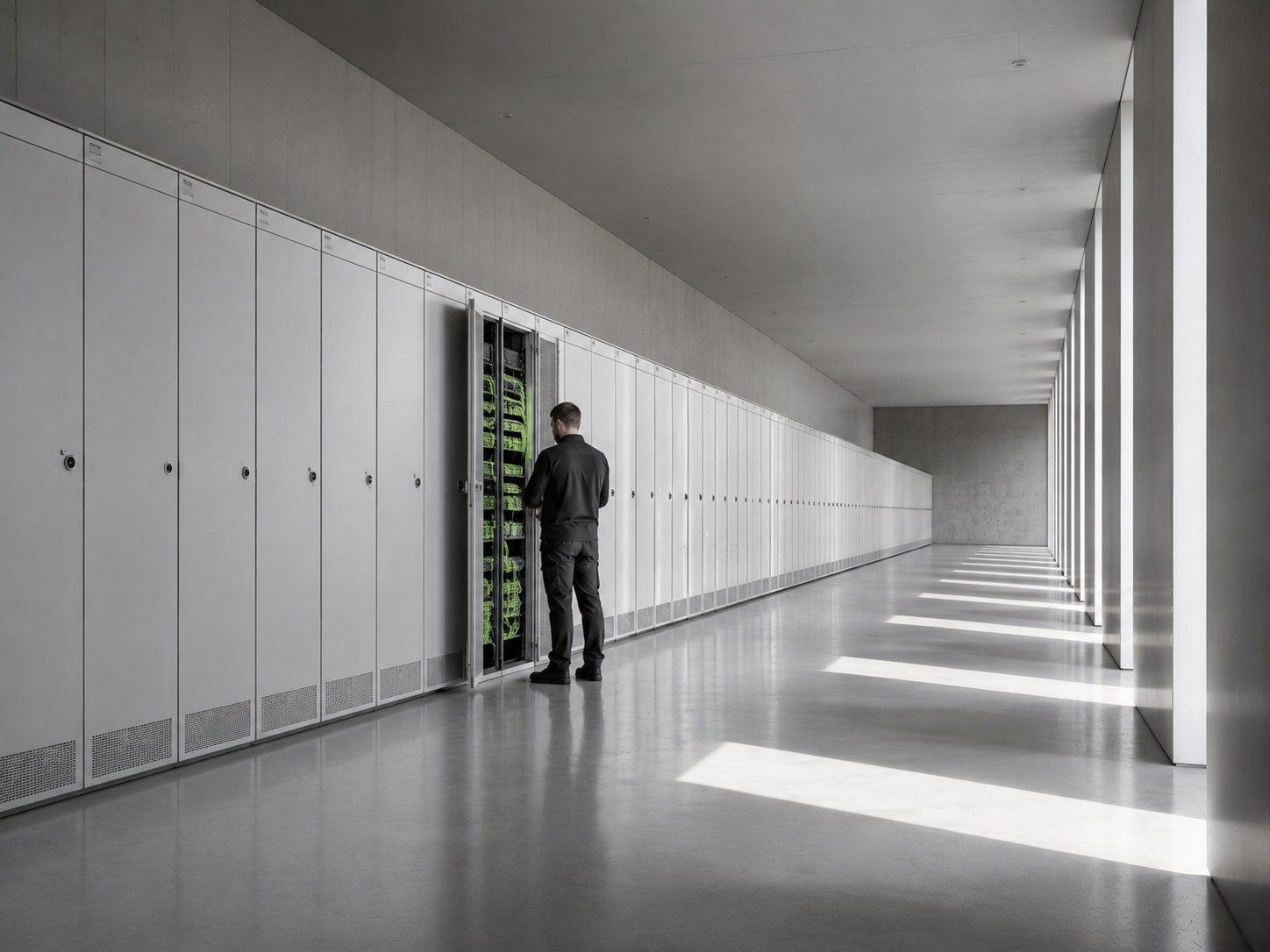
The DMS application is a centralized, web-based storage for all digital content; documents, photos, wiki pages, and decision trees. It is designed to horizontally scale to handle large data volumes. Part of the solution is a rule-based loader that can connect to various data sources and migrate or synchronize content to DMS.

JavaMySQLOpenShift
Document organization and structured data
Preventing duplication and wrong categorization
Search
Search
Problem definition and goal

Part of building network infrastructure for telecommunication operators is creating a lot of different documents like lease contracts, CAD drawings, measurements, installation materials, and so on. When the telecommunication site is operational, other activities like site revisions are performed which generate further documentation.

All these documents were previously stored on a single shared drive and as the volume of documents grew, it became harder and harder to find the right ones. To work around this problem, users started to create their own folder hierarchies, which meant duplicating some of the documents. The shared drive also had other problems, like lack of full-text search, no traceability, poor user rights management, and so on, which needed to be solved.

Industry
Telecommunications
Competencies
Data integrationData modelingMicroservicesDistributed applicationsHigh data volume processing
Technologies
JavaMySQLOpenShiftVueVuetifyDockerSpring StackApache SolrKubernetesREST

Challenges

This project involved a large amount of unstructured data, which needed to be categorized, so that users could find what they need no matter what role in the organization they play. The documents were created and used by internal Orange employees as well as users from external companies.

  1. Document organization

    It was obvious from analyzing the documents stored on the shared drive that users have different “views” on document categorization. For some users, categorization was “Site-centric” whereas other users categorized based on “Time-centric” priorities. This resulted in different folder hierarchies and document fragmentation.

  2. Structured and unstructured data

    Although most data have been stored in documents, some information was stored in the folder structures themselves. Document type, site number, year, and much more were encoded in folder names that prevented proper use of this information.

  3. Duplication and quality assurance

    It often happened that users missed some mandatory folders that resulted in wrong document categorization or uploading a document, which was already there.

  4. Search

    The primary concern of a shared drive document storage system was poor usability when searching for documents. It was not possible to use full-text search, and it was hard to navigate via folder hierarchies and resolve duplicates.

  5. Security and trackability

    If users moved documents to another location or accidentally deleted documents, it was not possible to trace which user it was. It was also not easy to protect documents from unauthorized access.

  6. Data import

    There was already a large set of documents stored in the shared drive, which had to be loaded to DMS without losing information about its categorization.

  7. Data to information

    User have no easy option to get answer for a simple question: How many sites exists, which do not have electric revision for the year 2020.

Solutions

At Koderia (formerly Objectify), we created a web-based DMS system, which was not organized around folders but instead allowed to define custom fields on documents that could be used to store different meta-data as well as for searching.

Document organization and structured data

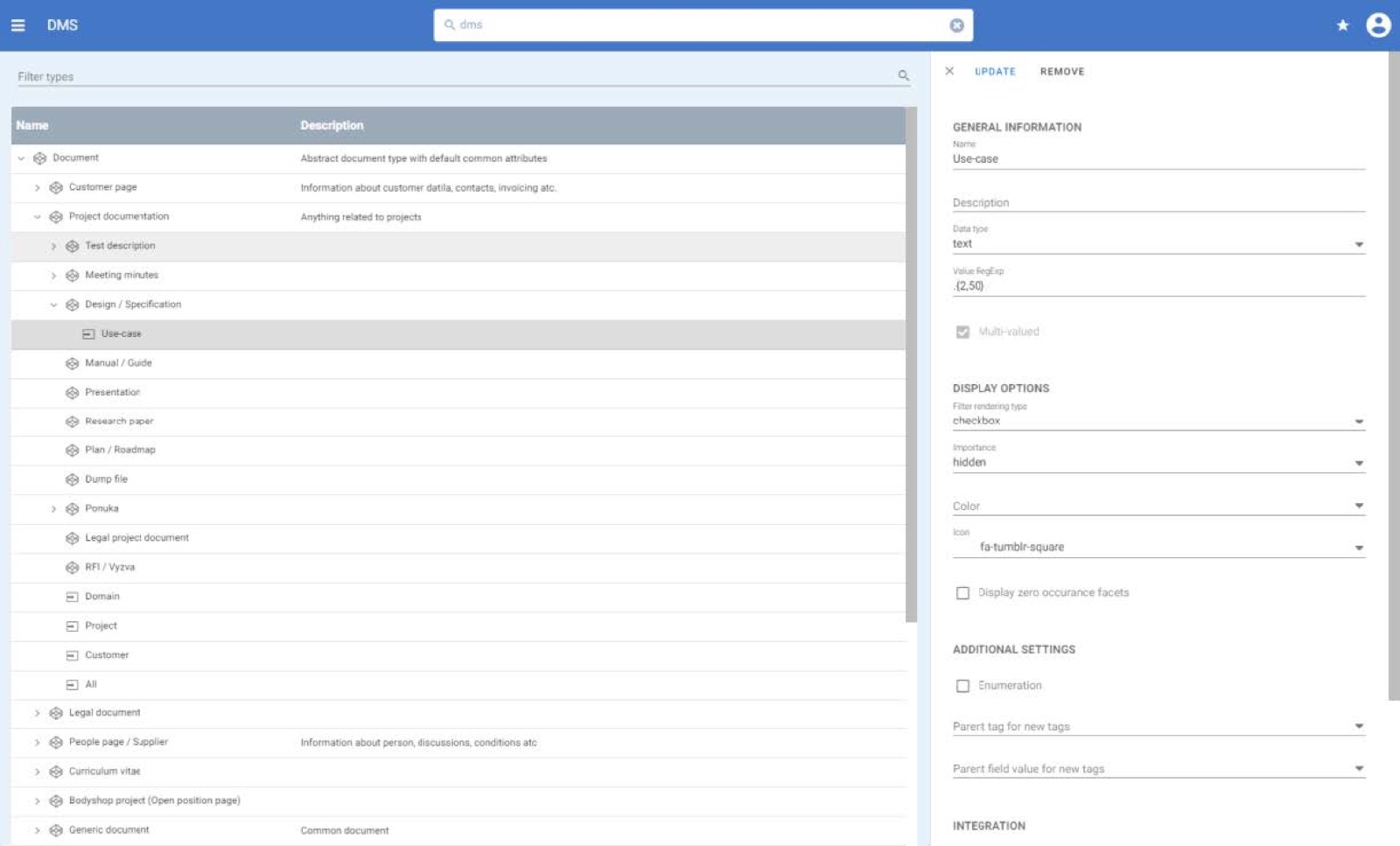
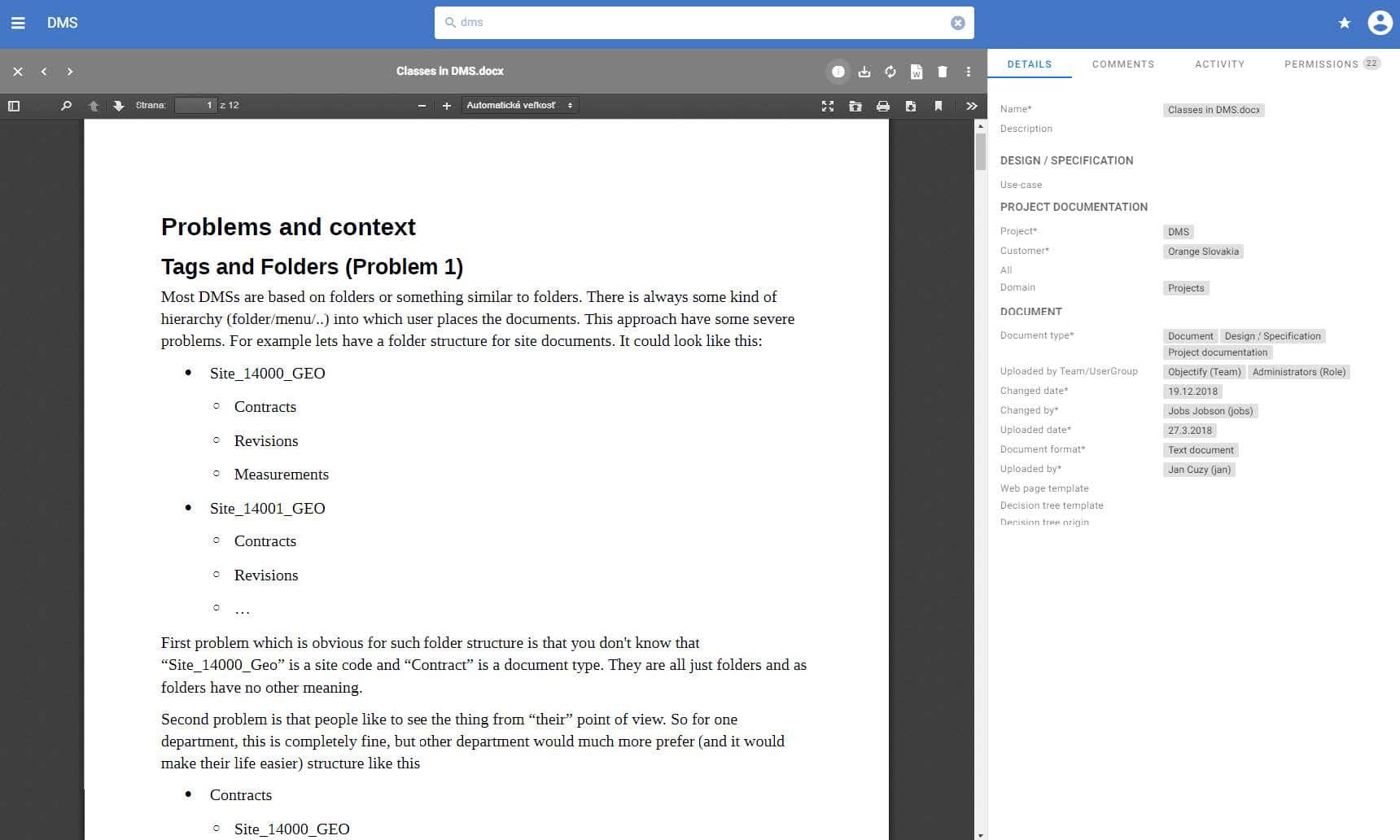
Using folders to categorize documents have some major drawbacks; users must agree on a single hierarchy of folders and assign documents accordingly. Additionally, folders do not give any information about the data it contains. That is why we decided not to use folders at all. In DMS, all structured information (Project, Creation date, Document type, anything you like) is stored in a specific document attribute that allows for advanced filtering, reporting on documents, validations, permission rules based on attribute values, and more.

Document organization and structured data

Preventing duplication and wrong categorization

Users can define document types and their attributes. They can also customize which fields are mandatory. To prevent users from duplicating content, we have implemented a search for identifying similarities in content and alerting the user of results found. Additionally, users can define “Upload trees” to easily upload different types of documents for a given scenario. Users can also configure rules to include structured information from folders being uploaded.

Preventing duplication and wrong categorization

Search

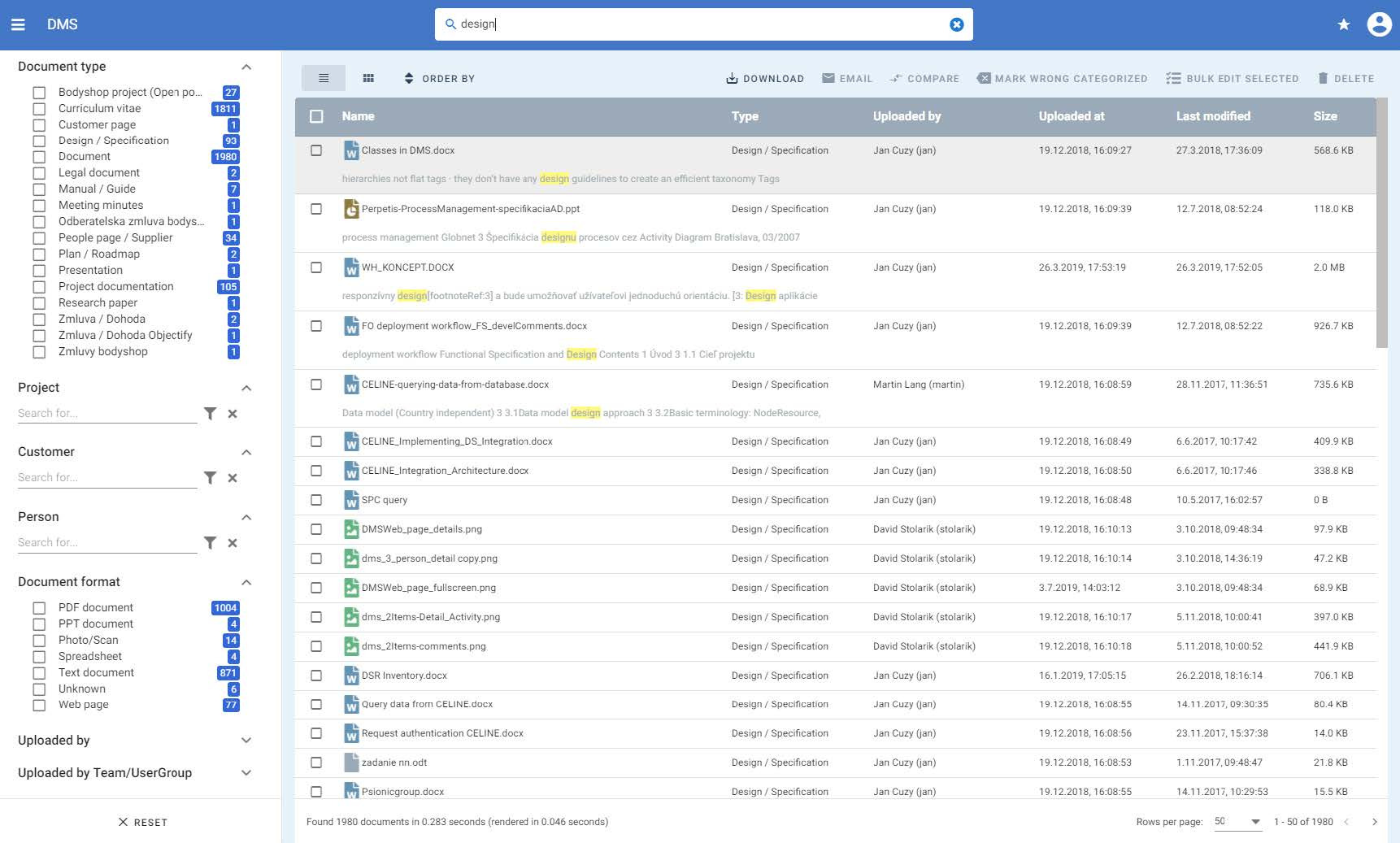
We use Apache Solr to index documents and search full-text with word occurrence highlighting typeahead features, or spellcheck corrections. Further, we implemented a faceted search so that users can easily narrow down Full-text search results. The faceted search also allows for hierarchy independent search order; “Site-centric” users can start by filtering via Site, and “Time-centric” users filter via a data range.

Search

Security and trackability

We have implemented a security mechanism to DMS that can be finetuned to the level of single documents. Users can specify access rights individually for each document or configure rules based on document field values. Furthermore, we keep a detailed log of activity on each document, so no user action gets lost.

Data import

To be able to migrate data to DMS, we have implemented a stand-alone migration tool with a configurable rule engine, which not only migrates documents but can synchronize documents from various data sources (shared drive, share point, database, …) This way DMS can be used not only as document storage but also as a search engine for other applications.

Data information

Having all structured data stored in dedicated fields allowed us to create a reporting engine, where users can create tabular reports to follow the progress of installations, document statistics, and much more.

Key features

  • Data integration
  • Data modeling
  • High data volume processing
  • Microservices
  • Distributed applications
Is this for you?

Your documents grow every day. Finding them shouldn’t get harder.

We built DMS to replace a shared drive full of site documents for telecom network construction. The same problem appears wherever projects produce contracts, drawings, measurements and photos in large volumes.

  • Telecom and network construction
  • Construction and real estate
  • Energy and utilities
  • Project-heavy organisations
Sounds familiar?

0 of 5 sound familiar

How we would start

  1. Model your document typesAttributes instead of folders: project, site, document type, date, whatever you need.
  2. Migrate with rulesA configurable migration tool loads and synchronises content from your existing sources.
  3. Make it findable and safeFull-text search, duplicate checks, rights down to a single document and an activity log.
Documents lost in folders?

Tell us
about your project

Describe what you want to build. We’ll get back to you within 24 hours with a proposal for next steps.

Need more info?

Reach out directly to our project managers, who will be happy to tell you more.

Romana Kovalová